
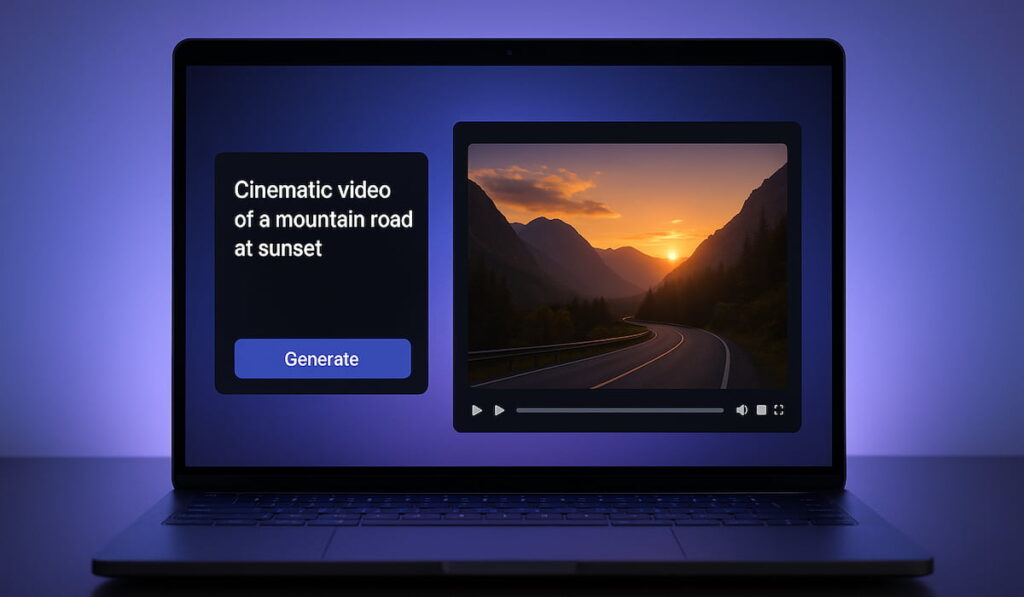
AI video is changing fast, and Sora AI video generator is one of the biggest reasons. It helps you create short videos from text prompts, even if you have zero editing skills. You type a scene idea. You choose a style. You press generate. Then you get a video clip you can use for concepts, social posts, and creative projects.
Creators love speed. Creators love flexibility. Creators love tools that remove boring steps. That is why this tool is creating so much buzz. Instead of filming, renting gear, and spending hours in editing software, you can test ideas in minutes. That means more experiments, more creative freedom, and less stress.
In this guide, you’ll learn what Sora AI video generator is, what it can do, and how to use it step by step. You’ll also get practical prompt tips, real use cases, common mistakes to avoid, and a helpful FAQ section. Everything is written in simple language, so you can start fast and improve with practice.
What is Sora AI video generator? 🎥
Sora AI video generator is an AI tool that creates video clips from your written instructions. You describe what should happen in the scene, and the AI generates motion, lighting, and visuals based on your prompt.
In plain words, it works like this:
- You type what you want to see
- You add details like style and camera angle
- The tool creates a video that matches your idea
This makes Sora AI video generator useful for creators who want quick visuals without heavy production. It also helps if you want to prototype ideas before filming, or if you want unique B-roll style shots for voiceovers.
Why is Sora AI video generator important in 2025? 🚀
Video is the top content format right now, but making video takes time. This tool matters because it reduces the time cost of creating visuals. It also reduces the skill barrier. You can be a beginner and still produce impressive results.
Here’s why people care so much:
- 🎬 You can turn ideas into video fast
- 📱 You can generate concepts for Shorts, Reels, and TikTok
- 🧠 You can create storyboards without hiring a team
- 💡 You can test ad visuals before spending money on filming
- 🔁 You can iterate quickly until it “feels right”
Most importantly, it changes your workflow. Instead of planning for weeks, you can create a first draft today.
What can Sora AI video generator do? ✨
This tool is built for motion. It does not only make still images. It aims to create short scenes that move in a smooth and natural way.
Here are the most common things creators use it for:
- 🎥 Cinematic clips for intros and trailers
- 📌 Concept scenes for scripts and story ideas
- 🧑🏫 Explainer visuals for education and training
- 🛍️ Product-style visuals for marketing tests
- 🎮 Animated scenes for fun, art, or storytelling
It also helps with style testing. For example, you can generate the same scene in multiple looks:
- “cinematic film”
- “anime style”
- “3D cartoon”
- “stop motion”
This makes creative exploration easier and faster.
How Sora AI video generator works (simple explanation) 🧠
You do not need to know deep AI theory to use it well. Still, it helps to understand the basic idea.
The tool takes your prompt and tries to predict a sequence of frames that match your request. It also tries to keep the scene consistent from start to end. That includes:
- subject consistency (the main thing stays the main thing)
- scene consistency (the background stays stable)
- motion consistency (movement looks natural)
Even with strong tech, mistakes can happen. Sometimes a hand looks strange. Sometimes an object changes shape. That is normal for today’s AI video tools, and it is why prompt clarity matters.
Step-by-step: how to create your first AI video 🪜
Let’s keep this simple. Use this workflow as your starting point.
Step 1: Start with one clear idea 💡
Pick one scene. Keep it small and clear.
Good beginner scene ideas:
- “A cat sitting on a windowsill while it rains”
- “A drone shot over a beach at sunrise”
- “A chef plating pasta in a cozy kitchen”
Simple scenes help you learn faster.
Step 2: Write a clean prompt ✍️
A strong prompt includes:
- subject (who/what)
- place (where)
- action (what happens)
- style (cinematic, animated, etc.)
- camera (close-up, wide, pan, handheld)
- lighting (warm, neon, sunset)
Example:
“Wide shot of a quiet street at night, neon signs, light rain, slow camera pan, cinematic mood.”
Step 3: Choose your format and style 📐
If the tool gives options, pick:
- aspect ratio (vertical for Shorts, wide for YouTube)
- duration (short is easier to control)
- style preset (if available)
Start simple. You can go advanced later.
Step 4: Generate and review 👀
Watch the clip carefully. Ask yourself:
- Did it follow the prompt?
- Does motion look smooth?
- Does the scene stay consistent?
Take notes. This helps you improve your next prompt.
Step 5: Improve with small changes 🔁
Don’t rewrite everything. Change one thing at a time:
- change lighting
- change camera movement
- change mood
- change the action
Small changes teach you control. Big changes confuse the learning process.
A prompt formula that works (easy template) 🧩
Use this simple formula when you feel stuck:
- Scene + subject
- Action
- Style
- Camera
- Lighting
- Mood
Example:
“Close-up of a steaming cup of tea on a wooden table, gentle camera push-in, warm morning light, cozy cinematic mood.”
You can add extra details only if needed:
- “soft depth of field”
- “film grain”
- “slow motion”
- “handheld feel”
Keep it readable. Clear prompts usually perform better than long, messy prompts.
Best use cases for creators (real-world ideas) 🎯
Sora AI video generator becomes powerful when you use it with a purpose. Here are practical workflows that creators love:
1) Social hooks and intros 📱
Generate 3–5 hook visuals for the same topic. Pick the one that feels most clickable.
2) Storyboarding for YouTube videos 🎬
Create scenes for your script before filming. This helps you plan pacing and mood.
3) B-roll for voiceovers 🎙️
Need visuals but don’t want to film? Generate simple B-roll style clips that match your narration.
4) Ads and product ideas 🛍️
Test different ad looks fast. Then film the best-performing concept later.
5) Education and training content 🎓
Create short scenes that explain a concept. Keep it simple and clear for learners.
Tips to get better results fast ⚡
If you want smoother, more consistent clips, these tips help a lot:
- ✅ Use one main subject per scene
- ✅ Choose one clear camera movement (or none)
- ✅ Describe lighting in one short phrase
- ✅ Avoid overly complex action for your first drafts
- ✅ Repeat key style words once, not many times
- ✅ Save your best prompts for reuse
Also, try this habit: generate a clip, then rewrite your prompt in simpler words. Clarity often improves output.
Common mistakes to avoid 🚫
Many beginners get weak results because of a few simple mistakes. Avoid these and you’ll improve quickly.
- ❌ Too many ideas in one prompt
- ❌ No camera direction at all
- ❌ Switching styles inside one scene
- ❌ Overly long prompts with random details
- ❌ Expecting perfect results on the first generation
AI video creation is iterative. Think of it like photography: you shoot, review, adjust, and shoot again.
Can you use it for YouTube, TikTok, and Reels? ✅
Yes, you can use AI video clips for many platforms. The smart move is to plan your output based on the platform:
- Vertical clips for Shorts, Reels, TikTok
- Wide clips for YouTube long-form
- Short, punchy visuals for hooks
- Slower cinematic clips for storytelling
If you build a simple pipeline, you can generate a batch of visuals and then edit them into final content using your favorite editor.
Ethical use and safe content habits 🛡️
AI video is powerful, so use it responsibly. Here are simple rules that keep you safe:
- Do not impersonate real people without permission
- Do not create misleading “fake news” style clips
- Avoid harmful or illegal content
- Label AI-made clips when needed
- Use AI as a creative tool, not a deception tool
Trust matters online. If your audience trusts you, your brand grows faster.
FAQ: Sora AI video generator ❓
1) Is it hard to use for beginners?
No. The basics are easy. The main skill is learning how to write good prompts. Once you understand the prompt formula, you can improve quickly.
2) How do I get better results?
Keep prompts simple. Describe camera and lighting. Focus on one subject. Then iterate with small changes. This approach improves quality faster than changing everything at once.
3) Can I create videos for business use?
Many creators use AI video for concepts, ads, and marketing tests. Still, always check usage rights, platform rules, and your own brand guidelines before publishing.
4) Why does the AI sometimes create weird details?
AI video tools are still improving. Complex motion and fine details can cause small errors. Shorter scenes, clearer prompts, and simpler action usually reduce these issues.
5) Should I replace filming with AI video?
Not always. The best workflow is often hybrid. Use AI video for drafts, B-roll ideas, and quick visuals. Use real footage when you need authenticity, real emotion, or real product shots.