
Motion is an AI scheduling tool that turns your to-do list into a real calendar plan. Instead of you picking what to do next, Motion looks at your tasks, deadlines, and meetings, then builds a schedule automatically. That sounds small, but it can feel life-changing when your days are busy. This is Motion AI explained simply: it plans your day for you and adjusts the plan when life changes.
Many people struggle with time because they don’t have a schedule they can follow. Many people make long to-do lists that never get finished. Many people feel stressed because they decide what to do every hour. Motion is built to reduce that stress. It helps you see your day clearly, focus on one task at a time, and stay realistic about what fits.
In this guide, Motion AI explained simply through 10 things every new user should know. You’ll learn what Motion does, how it schedules tasks, how to set it up, and how to avoid the common mistakes that make the tool feel “wrong.” You’ll also get quick tips, bullet points, and a FAQ section so you can start fast and stay consistent.
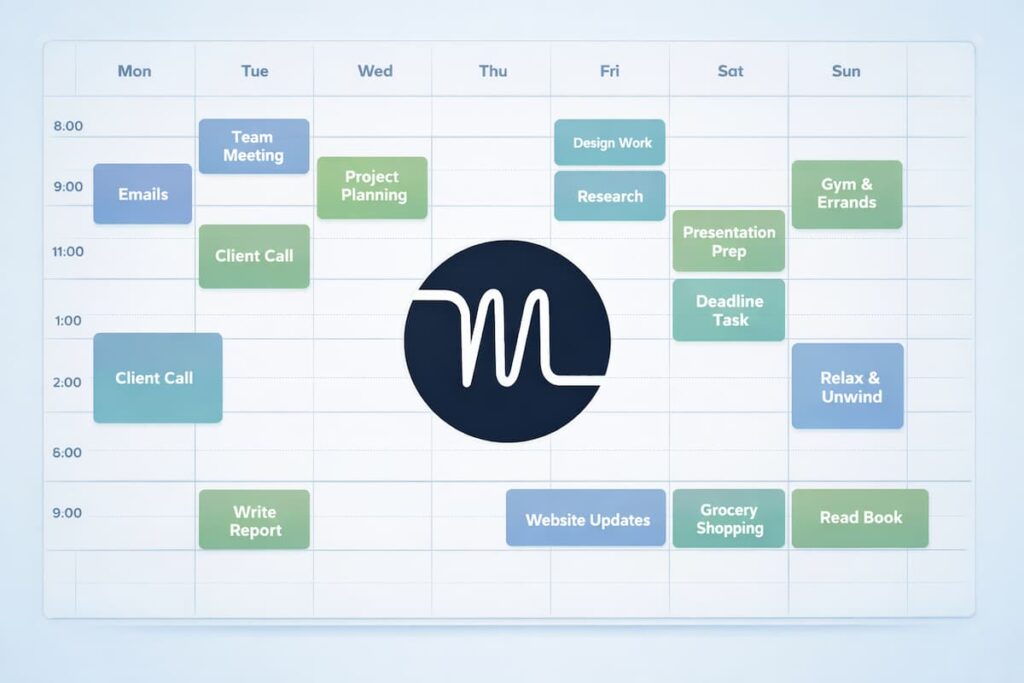
What is Motion AI explained simply? 🧠
Motion is a productivity app that combines:
- ✅ task management (your to-do list)
- 📅 calendar scheduling (your meetings and events)
- ⏳ automatic time blocking (your tasks become calendar blocks)
You add tasks with deadlines and priorities. Motion finds open time in your calendar. Then Motion schedules those tasks into your day. If a meeting appears, Motion moves your tasks around automatically so you can still finish what matters.
Motion AI explained simply: it’s a smart planner that updates your schedule for you.
10 things new users should know about Motion AI ✅
1) Motion is not a normal to-do list 📋
A basic to-do list tells you what to do, but it doesn’t tell you when to do it. That’s why many lists stay unfinished. Motion turns tasks into time blocks, so you can actually follow a plan.
Why this matters:
- you stop guessing what to do next
- you avoid jumping between tasks
- you protect focus time automatically
Motion AI explained simply: it makes your plan real, not just a list.
2) Your calendar quality decides your schedule quality 📅
Motion uses your calendar to find free time. So if your calendar is missing meetings, travel time, or personal blocks, Motion will schedule tasks where they don’t fit. That can make the tool feel “wrong,” even though it is doing what it sees.
Quick fixes:
- block commute or travel time
- add personal time (gym, family, rest)
- keep meetings accurate
A clean calendar makes Motion feel smarter instantly.
3) Motion schedules tasks using deadlines and priority 🎯
New users often wonder: “How does Motion choose what goes first?” Motion mainly looks at:
- due date (deadline)
- priority (high vs normal vs low)
- available time
- task length
So urgent tasks rise to the top. Flexible tasks slide later. This is why adding deadlines—even soft deadlines—helps Motion plan better.
Motion AI explained simply: it sorts your tasks like a smart assistant would.
4) Time estimates are everything ⏱️
Motion needs to know how long a task takes. If you put 10 minutes for a task that needs 60, Motion will schedule too much and you’ll feel behind. If you put 3 hours for a 30-minute task, your day will look too tight.
Beginner tip:
- estimate honestly, then adjust later
- after finishing a task, update the time next time
This one habit can make Motion feel 2x more accurate.
5) Working hours and break rules reduce stress 🧭
If Motion doesn’t know your work hours, it can schedule tasks at odd times. Set clear rules so the schedule matches your life.
Set these early:
- work start and end time
- lunch break
- “no schedule” time (evenings, weekends)
- focus hours (deep work blocks)
Motion AI explained simply: rules create a schedule you actually want to follow.
6) Auto-rescheduling is the main superpower 🔁
Motion shines when your day changes. A meeting pops up. A call runs long. Something urgent appears. Motion can reshuffle your tasks so you don’t have to rebuild your plan.
Auto-rescheduling helps because:
- you stay calm when plans change
- you don’t forget important tasks
- you save time every day
If your schedule is unpredictable, Motion becomes even more valuable.
7) Motion is built for deep work blocks 🧠
Most people lose time by switching tasks too often. Motion supports time blocking, which helps you focus longer and finish more.
Try a simple focus pattern:
- 60–90 minutes deep work
- 10–15 minutes break
- repeat 2–3 times
Motion AI explained simply: it protects your attention, not just your time.
8) The better your tasks are written, the better Motion works 🛠️
If your tasks are vague, Motion can’t plan well. “Work on project” is unclear. “Write blog outline (45 min)” is clear.
Good tasks include:
- an action verb (write, call, review, submit)
- a specific result (outline, draft, list, upload)
- a time estimate
- a deadline (when needed)
Clear tasks reduce stress because you know exactly what “done” looks like.
9) Break big tasks into smaller tasks for better scheduling 🧩
A 5-hour task is hard to place. Also, it feels heavy in your mind. Motion works better when you split big tasks into smaller chunks.
Example: “Prepare exam” becomes:
- review notes (45 min)
- practice questions (45 min)
- revise weak topics (60 min)
- make cheat sheet (30 min)
Motion AI explained simply: small tasks fit easier, and you finish more.
10) Start small for your first week 🌱
Many new users add everything at once. Then the schedule looks packed and scary. Instead, start small and build trust.
Best first-week setup:
- your real meetings
- your top 5–10 tasks
- 1–2 focus blocks per day
- realistic work hours
Once you feel the flow, you can add more tasks and more routines.
Quick setup checklist (beginner friendly) ✅📌
Use this checklist to get good results fast:
- Connect your calendar
- Set your working hours
- Add break times
- Add 5–10 important tasks
- Add deadlines where needed
- Set priority honestly (not everything is urgent)
- Estimate time for each task
- Review the schedule and adjust durations
This is Motion AI explained simply as a practical setup plan.
Tips to get better schedules every day 💡
Small habits make Motion feel much smarter:
- Review your schedule each morning (2 minutes)
- Add buffer time for travel and transitions
- Use high priority only for truly important tasks
- Create recurring tasks for routines (weekly planning, admin cleanup)
- Update time estimates after you finish tasks
- Protect at least one deep work block daily
These tips reduce rescheduling chaos and improve consistency.
Common mistakes to avoid 🚫
Avoid these mistakes and your experience improves quickly:
- ❌ keeping your calendar incomplete
- ❌ setting every task as high priority
- ❌ using unrealistic time estimates
- ❌ adding huge tasks without splitting them
- ❌ expecting the schedule to be perfect on day one
Motion gets better as your input gets better. Treat it like training a system.
FAQ: Motion AI explained simply ❓
1) Is Motion AI good for students? 🎓
Yes, Motion AI can be very helpful for students who struggle with time management or procrastination. It automatically schedules study sessions, assignments, and revision time based on deadlines. Instead of guessing when to study, students can follow a clear daily plan. Over time, this helps build better study habits and reduces last-minute stress.
2) Does Motion AI replace Google Calendar? 📅
No, Motion AI does not replace Google Calendar. Instead, it works alongside it. Motion reads your calendar events and then schedules tasks in the free time you already have. Think of Motion as a smart planning layer that makes your existing calendar more useful and organized.
3) What happens if my schedule changes suddenly? 🔄
Motion AI is designed for changing schedules. When a new meeting is added or something takes longer than expected, Motion automatically reschedules your remaining tasks. This saves time and prevents panic. You don’t need to manually rebuild your plan every time something changes.
4) How long does it take to get used to Motion AI? ⏱️
Most new users feel comfortable within a few days to one week. At first, you may need to adjust time estimates and priorities. As Motion learns your working style and you improve your input, the schedules become more accurate and realistic. The experience improves quickly with daily use.
5) What is the biggest mistake beginners make with Motion AI? 🚫
The most common mistake is adding too many tasks with unrealistic time estimates. This makes the schedule feel overwhelming. Starting small, using honest time estimates, and setting clear priorities leads to much better results. Motion works best when tasks are simple and clearly defined.
6) Can Motion AI help with work-life balance? ⚖️
Yes, Motion AI can support better work-life balance when used correctly. By setting clear work hours, breaks, and personal time, Motion avoids scheduling tasks outside those limits. This helps protect rest time and prevents overworking, especially for busy professionals and freelancers.
7) Is Motion AI worth using every day? ✅
Motion AI is most valuable when used daily. Regular use helps you trust the schedule, reduce decision fatigue, and stay focused. Even spending two minutes reviewing your plan each morning can make your entire day feel more organized and less stressful.