
If you have tried Grok once or twice, you might think it is “just another chatbot.” However, that is not the full story. Grok has several powerful options that many people miss on day one. These Grok AI hidden features can help you research faster, write cleaner posts, create better prompts, and even turn messy info into clear notes.
The best part is that you do not need to be a tech expert. You do not need special training. You do need a few smart prompts and a simple workflow. Once you learn how to use Grok the right way, it stops feeling like a toy and starts feeling like a real productivity tool.
In this guide, you’ll learn the most useful Grok AI hidden features in simple language. You’ll also get step-by-step examples, quick tips, and a helpful FAQ section at the end. Everything is easy to read, so you can apply it right away.
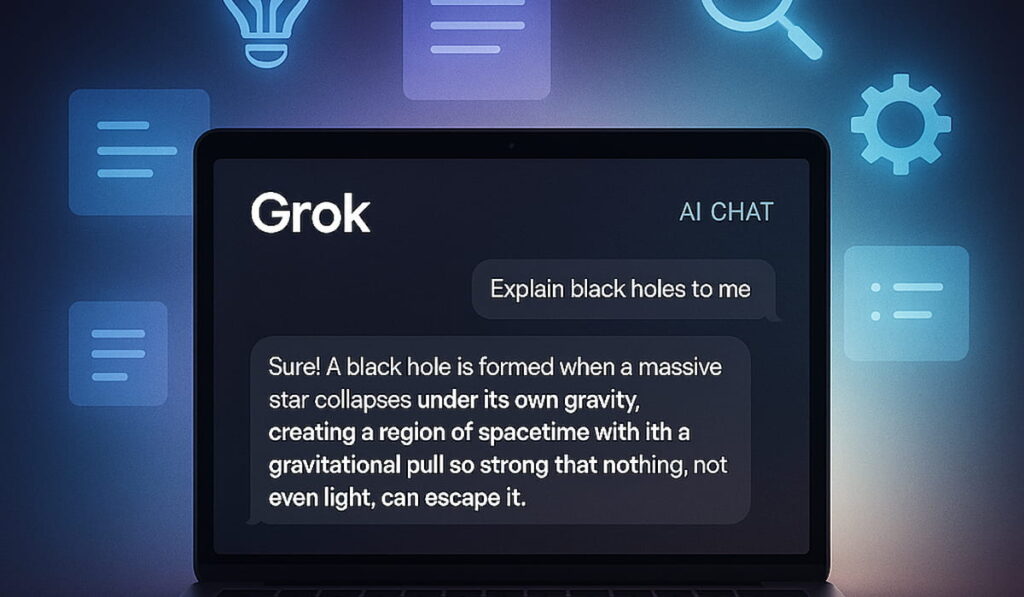
What are Grok AI hidden features? 🧠
Grok AI hidden features are the “extra powers” people often overlook because they are not obvious buttons. Sometimes they are prompt tricks. Sometimes they are settings. Sometimes they are special ways to ask for output, like tables, checklists, or rewrite rules.
Think of it like a smartphone. Most people use it for calls and messages. Power users use shortcuts, automations, and smart settings. Grok is similar. When you use Grok AI hidden features, you get better results with less effort.
Grok AI hidden features for faster research 🔍
1) Ask for a “2-layer” summary (quick + deep) 🪄
A normal summary can feel too short or too long. Instead, use this structure:
- Layer 1: super short summary (3 lines)
- Layer 2: deeper summary (bullet points)
Try this prompt:
“Summarize this topic in 2 layers: first 3 lines, then 8 bullet points with key details.”
Why it works: it gives you speed and depth in one response. This is one of the Grok AI hidden features that feels simple but saves a lot of time.
2) Turn messy info into clean notes 📌
When you paste a long paragraph, Grok can turn it into neat study notes. Ask for:
- headings
- bullets
- definitions
- examples
Prompt idea:
“Turn this into clean notes with headings, key terms, and simple examples.”
This is great for long posts, transcripts, or random copied text. It is also great for students who want quick revision notes.
3) Get “what matters” instead of “everything” 🎯
Many AI answers are long because the prompt is vague. A smarter method is to force priority.
Prompt idea:
“Give only the 5 most important points. If something is minor, skip it.”
This removes fluff and improves focus. It is one of the Grok AI hidden features that makes answers feel more human and useful.
Grok AI hidden features for writing better content ✍️
4) Ask for a writing “style lock” 🔒
If your tone changes every time, you lose brand voice. Fix that by telling Grok to lock the style.
Prompt idea:
“Write in a friendly, simple style. Use short sentences. Use clear words. Keep the tone consistent.”
You can also add:
- “sound like a helpful friend”
- “avoid buzzwords”
- “keep it easy for beginners”
This helps you create content that reads smoothly across multiple posts.
5) Create 10 hooks, then pick the best 🧲
Hooks decide clicks. Instead of writing one hook, ask for many.
Prompt idea:
“Give me 10 short hooks for this topic. Make them simple, punchy, and curiosity-based.”
Then do this follow-up:
“Now rank those hooks from best to worst for click-through rate.”
This is one of the Grok AI hidden features that boosts output quality fast. You stop guessing and start selecting.
6) Convert one idea into multiple formats 🔁
One topic can become many content pieces. Ask Grok to repurpose.
Prompt idea:
“Turn this into: 1 tweet thread, 1 LinkedIn post, 1 short script, and 5 captions.”
This makes content creation feel like a system, not a struggle.
Grok AI hidden features for social media (easy wins) 📣
7) Thread breakdown with “claim → proof → takeaway” 🧵
If you paste a long thread or post, ask for structure:
Prompt idea:
“Break this into claim → proof → takeaway for each section.”
This helps you understand what is actually being said, not just what sounds good. It also helps you respond smarter.
8) Draft replies in different tones 😄😐🔥
Sometimes you want polite. Sometimes you want bold. Sometimes you want funny. Grok can do all three if you ask.
Prompt idea:
“Write 3 reply options: polite, confident, and playful. Keep each under 2 lines.”
This is a hidden feature because most people only ask for one reply. Multiple options make you faster and more natural online.
9) Turn ideas into a posting plan 📅
Instead of random posting, ask for a plan:
Prompt idea:
“Create a 7-day posting plan for this niche. Include topic, hook, and CTA for each day.”
This helps creators stay consistent without burning out.
Grok AI hidden features for productivity and planning ✅
10) “Decision helper” mode ⚖️
When you feel stuck, ask for a decision framework.
Prompt idea:
“Help me decide between A and B. Ask me 5 key questions first, then give a recommendation.”
This turns Grok into a coach, not just a text generator. It is one of the Grok AI hidden features that improves real-life outcomes.
11) Checklists that actually work 🧾
A good checklist is short, clear, and action-based. Ask Grok to build one.
Prompt idea:
“Make a simple checklist. Each item should start with a verb. Keep it under 12 steps.”
This is great for routines, projects, and study plans.
12) Turn goals into a weekly system 🏁
Big goals fail when they are vague. Ask Grok to turn goals into weekly actions.
Prompt idea:
“Turn my goal into a weekly plan with small tasks. Keep each task under 20 minutes.”
This makes goals feel doable and reduces overwhelm.
Grok AI hidden features for learning and studying 📚
13) “Teach me like I’m new” mode 👶➡️🧠
This is a simple prompt trick that improves clarity.
Prompt idea:
“Explain this like I’m new. Use simple words. Add a tiny example.”
Then follow with:
“Now quiz me with 5 questions.”
This creates a full learn-and-test loop. It is one of the most practical Grok AI hidden features for students.
14) Flashcards and memory tricks 🃏
You can turn any topic into flashcards.
Prompt idea:
“Create 15 flashcards. Front: question. Back: short answer.”
Add:
“Make them easy first, then harder.”
Now you have quick study material without extra work.
Grok AI hidden features for “better prompts” (this changes everything) 🧩
15) Ask Grok to write your prompt for you 🧠➡️📝
Many people struggle because they write weak prompts. Fix that by asking Grok to craft the prompt.
Prompt idea:
“I want to achieve X. Ask me 6 questions to clarify. Then write the perfect prompt I should use.”
This is one of the strongest Grok AI hidden features because it upgrades your input quality. Better input = better output.
16) Use “constraints” to get cleaner answers 📏
Constraints remove chaos. Try these:
- word limit
- format rules
- reading level
- tone rules
- number of bullets
Prompt idea:
“Write in simple English. Use short sentences. Use bullets. Keep it under 180 words.”
This creates answers that are easy to read and easy to use.
Quick prompt pack you can copy 🧰✨
Use these to unlock Grok AI hidden features instantly:
- “Summarize in 3 lines, then 8 bullets.”
- “Give the top 5 points only. Skip minor details.”
- “Turn this into clean notes with headings.”
- “Write 10 hooks. Rank them by click potential.”
- “Repurpose this into 4 content formats.”
- “Ask me 5 questions, then build a plan.”
- “Explain simply, then quiz me.”
- “Create a checklist with verb-first steps.”
Small prompts. Big results.
Common mistakes to avoid 🚫
Even the best Grok AI hidden features can fail if you do these:
- Using vague prompts like “write about this”
- Asking for too many things at once
- Forgetting to set format (bullets, steps, length)
- Copying output without editing it for your voice
- Not using follow-up prompts to improve results
A simple rule helps: ask, review, refine. That is how you get high-quality output without stress.
FAQ: Grok AI hidden features ❓
1) Are Grok AI hidden features hard to use?
No. Most are just prompt habits. Once you learn a few formats like “2-layer summary” or “rank the hooks,” it becomes natural.
2) What is the fastest hidden feature for beginners?
The 2-layer summary is the easiest. You get a quick view and deeper bullets in one response. It saves time immediately.
3) Can Grok help with social media growth?
Yes. You can use it for hooks, thread breakdowns, reply drafts, and posting plans. The key is to keep outputs short and easy to post.
4) How do I stop long, boring responses?
Add constraints. Ask for fewer points. Set a word limit. Request bullets. These small controls make answers cleaner and more readable.
5) How do I get more accurate, useful output?
Give context, then set rules. Share your goal, audience, and tone. Then specify format and length. Finally, refine with one follow-up prompt.