
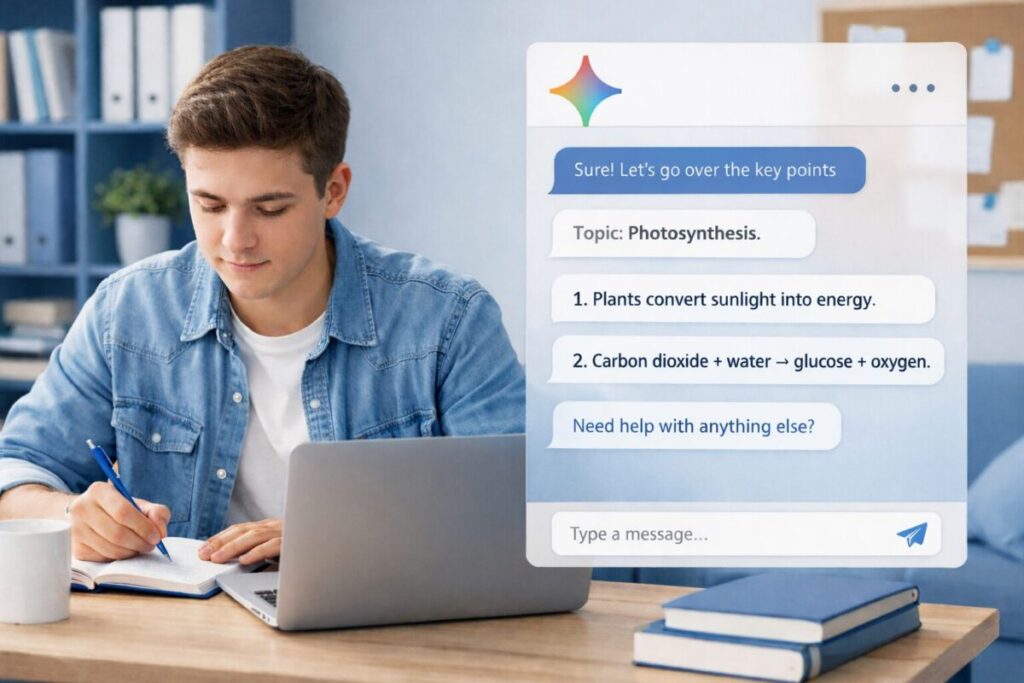
Studying can feel like a never-ending loop: read, highlight, forget, panic, repeat. I’ve had days where I spent hours “studying” but couldn’t clearly explain what I learned. That’s exactly why I started using google gemini—not to cheat, not to skip learning, but to save time on the slow parts.
For me, the biggest benefit of google gemini is speed + structure. It helps me turn messy material into clean notes, creates quick practice questions, and pushes me to revise smarter instead of revising longer. Still, it’s not perfect. If you use it wrong, it can make you lazy or overconfident. If you use it right, it becomes like a study coach that’s always available.
In this post, I’ll share 10 interesting “hidden” ways I use google gemini as a student to save study time. Each feature includes a simple example you can copy, plus tips to avoid common mistakes. ✅
Before we start: my simple rules for using google gemini for study 🎯
These rules keep things honest and effective:
- I use it to understand, not to copy
- I always ask for simple language
- I prefer short outputs (then I ask follow-ups)
- I make it quiz me, not just explain
- I do a quick human check before trusting facts
Because fast studying is good.
Because smart studying is better.
Because real understanding is the goal.
1) The “8-bullet summary + action plan” feature 🧾
This is one of the fastest ways to reduce study time. Instead of reading the same page three times, I ask google gemini to summarize and then turn it into steps.
What I type
- “Summarize this in 8 bullets. Then give me a 3-step action plan to remember it.”
Best for
- textbook chapters
- lecture notes
- long articles
- class slides
My tip
If the summary feels too general, I follow up with:
- “Add 2 examples and 2 common mistakes students make.”
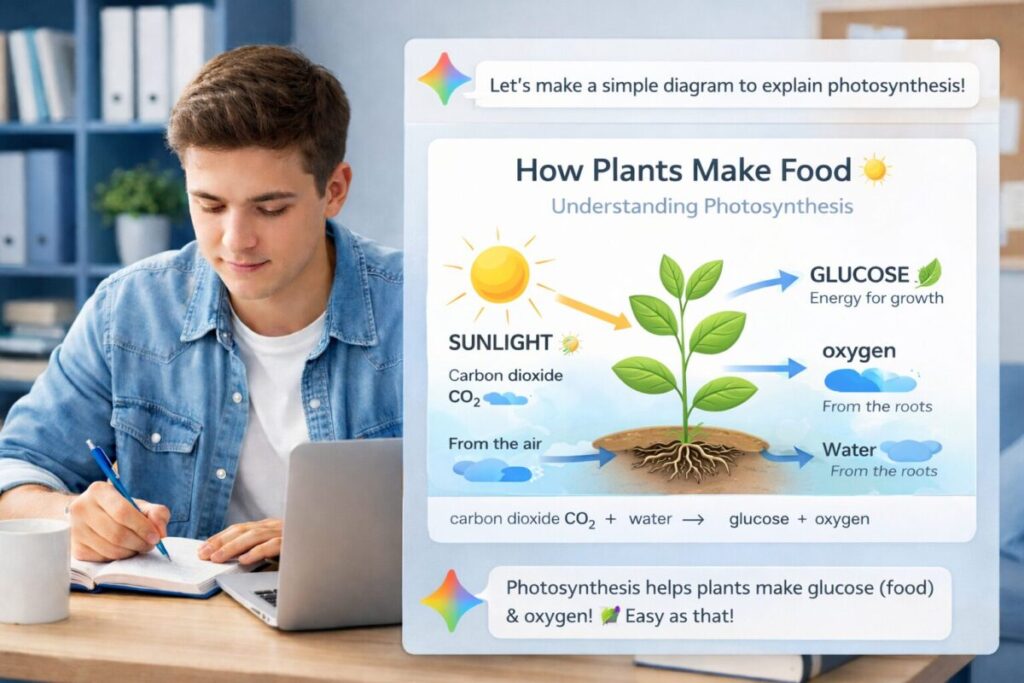
2) The “explain like I’m new” feature (with one real example) 🧠
Sometimes I don’t need a long explanation. I need a simple mental model.
What I type
- “Explain (topic) like I’m new. Use one real-life example and 3 key points.”
Best for
- science concepts
- business theories
- networking/IT topics
- math logic behind formulas
My tip
If it still feels hard, I say:
- “Explain again using an even easier example.”
3) The “quiz me until I get it right” feature 📝
This is where google gemini becomes a study partner. I learn faster when I’m forced to answer.
What I type
- “Quiz me with 10 questions on this topic. Mix easy and hard. After each answer, tell me what I got wrong and why.”
Best for
- exam prep
- revision days
- “I think I know it but I’m not sure” topics
My tip
Ask for question styles:
- “Include multiple choice, short answer, and scenario questions.”
4) The “make flashcards from my notes” feature 🧩
Flashcards help memory, but making them is time-consuming. This feature saves a lot of time.
What I type
- “Turn these notes into 20 flashcards. Format: Front = question, Back = answer. Keep answers short.”
Best for
- definitions
- formulas
- processes
- historical events and timelines
My tip
Then I ask:
- “Now pick the 5 most important flashcards and explain why.”
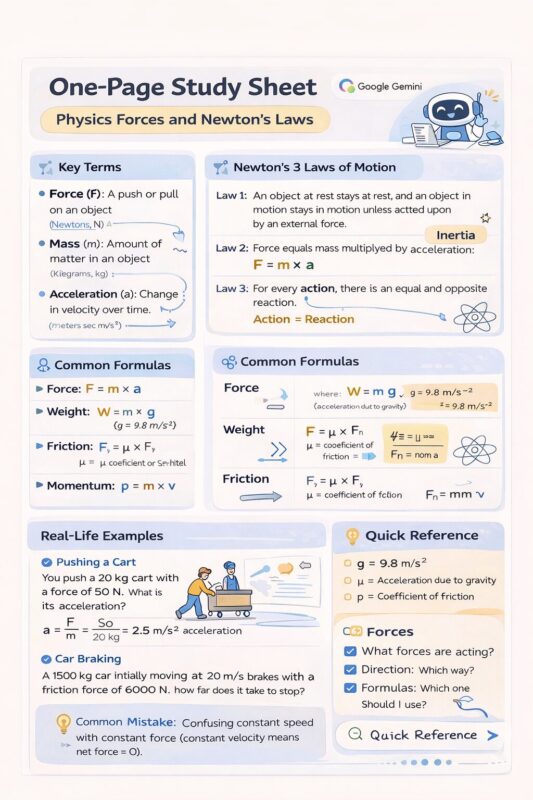
5) The “study sheet on one page” feature 📄
Sometimes I want a one-page cheat sheet (not cheating—just a quick review sheet).
What I type
- “Create a one-page study sheet for (topic). Include key terms, steps, formulas, and 3 examples. Keep it clean and scannable.”
Best for
- day before exams
- quick revision
- compressing a big chapter into one view
My tip
If it becomes too long:
- “Reduce this by 40% but keep the most important parts.”
6) The “turn boring notes into a story” feature 🎭
This sounds funny, but it works for memory. Stories stick.
What I type
- “Turn this topic into a simple story with characters. Keep it accurate and easy. End with a short summary.”
Best for
- history
- biology processes
- business and economics concepts
- any topic where sequence matters
My tip
After the story, I ask:
- “Now give me 5 exam-style questions from this story.”
7) The “practice exam generator” feature 🧪
This is one of the most useful features when you’re short on time and want to test yourself properly.
What I type
- “Create a practice test on (topic) with 20 questions. Include an answer key and short explanations.”
Best for
- final exam prep
- midterms
- certifications
My tip
If your teacher uses specific style, say:
- “Make the questions similar to college exam style: scenario-based and practical.”
8) The “essay and assignment structure helper” feature ✍️
I use google gemini for structure, not copying. Structure saves time and reduces stress.
What I type
- “Create an essay outline for (question). Include thesis, 3 body paragraphs with key points, counterargument, and conclusion. Keep it simple.”
Best for
- essays
- reports
- discussion posts
- research summaries
My tip
I also ask:
- “Give me a checklist to self-check my essay before submission.”
9) The “simplify + remove jargon” feature 🧼
Sometimes notes are full of complex words. I learn faster when text is simple.
What I type
- “Rewrite this in simple words for a beginner. Keep meaning the same. Add a short example.”
Best for
- technical subjects
- textbooks
- research papers (basic understanding)
My tip
Then I ask:
- “What are the 3 most important lines I should remember?”
10) The “30-minute study plan” feature ⏱️
This is perfect when you’re tired, distracted, or just want a small win.
What I type
- “I have 30 minutes. Make me a focused study plan for (topic): 10 minutes learn, 10 minutes practice, 10 minutes review.”
Best for
- daily consistent study
- avoiding procrastination
- quick revision
My tip
If you have more time, ask:
- “Make a 2-hour plan with breaks and a revision loop.”
My simple “Gemini Study Workflow” (copy this) ✅
When I want maximum study output in less time, I do this:
- Summarize in bullets
- Explain in simple terms
- Make flashcards
- Quiz me
- Create a mini practice test
This workflow turns passive studying into active learning.
My opinion section (honest student view) 🧠
Here’s my real opinion: google gemini is best when you use it like a coach, not like a shortcut.
If you use it to do work for you, it can harm your learning. You’ll feel confident, but you won’t remember. However, if you use it to explain, quiz, and structure, it saves time while improving understanding.
I also think students should treat AI answers carefully. AI can be wrong sometimes, especially if your prompt is vague. That’s why I like asking for examples, asking it to quiz me, and using short outputs first.
The biggest win is not “AI wrote my notes.” The biggest win is “I understood the topic faster.”
Ratings (student-friendly) ⭐
- Saving time on notes: 9/10
- Helping understanding: 8.5/10
- Quizzes and practice tests: 8.7/10
- Essay structure support: 8/10
- Reliability without checking: 7/10
- Overall student value: 8.6/10
Quick prompt pack (save this) 📌
- “Summarize in 8 bullets + 3-step action plan.”
- “Explain like I’m new + one real example.”
- “Quiz me with 10 questions + explain mistakes.”
- “Turn my notes into 20 flashcards.”
- “Create a one-page study sheet.”
- “Make a practice test with answer key.”
- “Create a 30-minute study plan.”
FAQ: google gemini for students ❓
1) Is google gemini good for exam preparation?
Yes, especially for revision and practice. It can summarize, quiz you, and generate practice tests. The key is to use it for active learning (questions and explanations) instead of only reading summaries.
2) Can google gemini replace studying from textbooks?
No. I treat it as a helper, not a replacement. Textbooks and teacher material still matter. google gemini saves time by simplifying, organizing, and testing you, but your core learning should still come from real course content.
3) How do I make sure the answers are correct?
Use it wisely: ask for examples, ask it to explain reasoning, and compare with your class notes. If something feels off, ask it to correct itself: “Recheck this and point out what might be wrong.”
4) Can google gemini help with assignments without cheating?
Yes. Use it for structure, clarity, and feedback. For example, you can ask for an outline, a checklist, or a rewrite in simpler language. Then you write in your own words and add your own thinking.
5) What’s the fastest way to study with google gemini?
Use the workflow: bullet summary → simple explanation → flashcards → quiz → mini test. This turns passive reading into active recall, which saves time and improves memory.
sf339f
Brilliant post! Also check out Nano Banana (https://nanobanana2.love/) – it’s been super useful for my AI projects.