
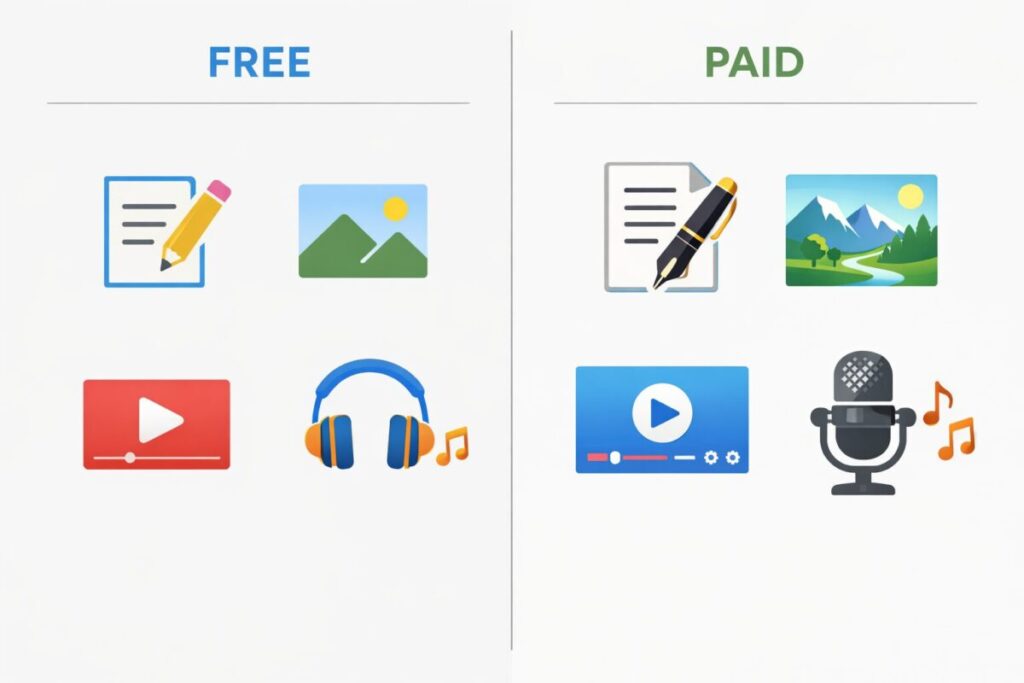
If you’re new to AI content creation tools, you’re probably feeling two things at once: excitement and confusion. Excitement because AI can save you hours. Confusion because every creator online makes it sound like you need 10 subscriptions to be “serious.”
You don’t.
In this guide, I’ll compare free vs paid AI content creation tools in beginner language. I’ll explain what free tools are great for, what paid tools improve, and when paying actually makes sense. I’ll also share example tools with typical prices, a comparison table, and my honest opinion without bias.
Because free can be enough. Because paid can be worth it. Because your routine matters more than your tool list. ✅
What are AI content creation tools in 2026? 🧰
AI content creation tools help you create or improve:
- Writing: blog posts, scripts, captions, emails, SEO outlines
- Images: thumbnails, illustrations, social graphics, product visuals
- Video: shorts, captions, clip editing, repurposing
- Audio: voiceovers, noise cleanup, sound polishing
- Workflow: planning, research, content calendars, turning one idea into many posts
Beginners often try to learn all of these in one week. I prefer a calmer approach: pick one main goal first (blogging, YouTube, or social content), then build your toolkit.
Free vs paid AI content creation tools: the simplest truth ⚖️
Here’s the pattern I’ve seen again and again:
- Free tools help you learn and test quickly.
- Paid tools help you move faster and stay consistent.
- Paid tools reduce friction, and friction is what stops beginners from posting.
Because free feels safe.
Because free feels easy.
Because free feels “good enough”… until you create every day.
That’s when paid plans start to feel like time-saving equipment, not a luxury.
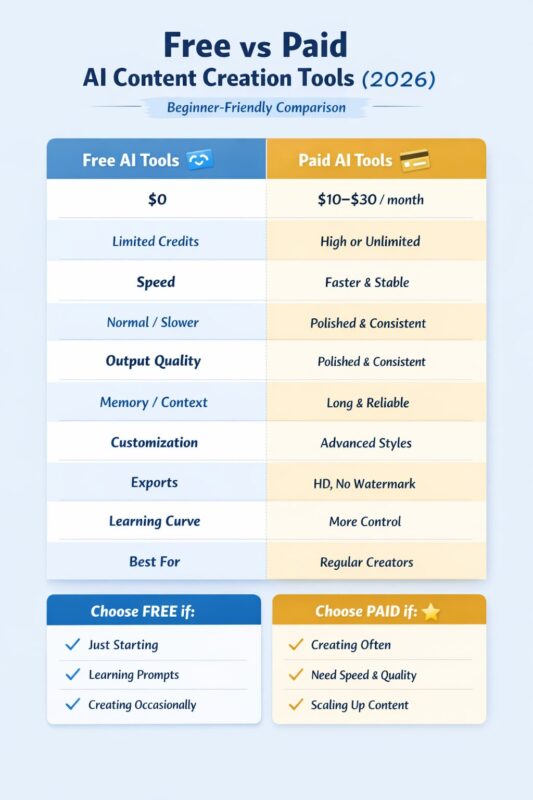
Comparison table: Free vs Paid AI content creation tools 📊
| Feature | Free AI content creation tools 🆓 | Paid AI content creation tools 💳 |
|---|---|---|
| Cost | $0 | Usually $10–$30/month per tool |
| Speed | Normal/slower during peak times | Faster, more consistent |
| Limits | Daily caps (credits/messages/exports) | Higher limits or near-unlimited |
| Quality | Good, can be inconsistent | More consistent and polished |
| Memory/context | Shorter context | Longer context for better continuity |
| Exports | Limited; sometimes watermark/low-res | HD, watermark-free, batch exports |
| Control | Basic settings | Brand voice, styles, templates, more control |
| Best for | Learning, testing, occasional creators | Frequent creators, growth-focused creators |
Best beginner strategy: start free, upgrade one tool at a time ✅
This is the approach I trust most:
- Start with free AI content creation tools for 2–4 weeks
- Track what wastes the most time (writing? thumbnails? editing?)
- Upgrade only the biggest pain point
- Add one more paid tool only if it pays you back in time
If you upgrade everything at once, you end up managing subscriptions instead of creating.
Writing tools (free vs paid) ✍️
Free writing tools (good to start)
1) ChatGPT (Free tier)
- Best for: outlines, drafts, rewriting, simple SEO sections
- Why I like it: easy to use, strong for ideas and writing structure
- Typical price: Free
- My rating: 8.5/10
2) Google Gemini (Free tier)
- Best for: quick summaries, brainstorming, simple explanations
- Why I like it: good for fast ideas and simple writing help
- Typical price: Free
- My rating: 8/10
Paid writing tools (worth it when you publish often)
3) ChatGPT Plus
- Best for: longer writing, smoother flow, more consistency
- Why it’s worth it: saves time on rewrites, better output reliability
- Typical price: ~$20/month
- My rating: 9/10
4) Claude Pro
- Best for: long documents, clean tone, structured writing
- Why it’s worth it: great for long-form drafts and refining content
- Typical price: ~$20/month
- My rating: 8.8/10
5) Jasper
- Best for: marketing writing, brand tone, templates
- Why it’s worth it: useful if you run a business or write ads often
- Typical price: commonly ~$39/month and up (plan-based)
- My rating: 8.3/10
Free vs paid writing: quick takeaway
- Free is enough for learning and weekly writing
- Paid is worth it if you publish frequently and need consistency
Image tools (free vs paid) 🎨
Free image tools (great for beginners)
1) Canva (Free)
- Best for: thumbnails, social posts, simple designs
- Why I like it: beginner-friendly drag-and-drop design
- Typical price: Free
- My rating: 8/10
2) Bing Image Creator (Free credits style)
- Best for: quick concept images and simple visuals
- Why I like it: easy to generate without complex settings
- Typical price: Free (credit-based)
- My rating: 7.7/10
3) Leonardo AI (Free tier)
- Best for: AI art styles, thumbnails, character visuals
- Why I like it: strong results for creators even on free tier
- Typical price: Free (limited credits)
- My rating: 8.2/10
Paid image tools (worth it for consistent thumbnails)
4) Canva Pro
- Best for: premium templates, background removal, faster workflow
- Why it’s worth it: saves time, makes thumbnails easier
- Typical price: ~US$12–$15/month (often billed yearly)
- My rating: 8.8/10
5) Midjourney
- Best for: cinematic, high-quality images and styles
- Why it’s worth it: top-tier visuals, great for standout thumbnails
- Typical price: often starts around ~$10/month (plan-based)
- My rating: 9/10
6) Adobe Firefly (paid plans)
- Best for: safer commercial-style generation and Adobe workflow
- Why it’s worth it: useful if you already use Adobe tools
- Typical price: plan-based (varies by region)
- My rating: 8.4/10
Free vs paid images: quick takeaway
- Free tools are great for learning styles
- Paid tools are worth it when you want consistent, high-quality thumbnails fast
Video tools (free vs paid) 🎥
Free video tools (good for starting shorts)
1) CapCut (Free)
- Best for: shorts editing, simple effects, captions
- Why I like it: fast, beginner-friendly
- Typical price: Free
- My rating: 8.3/10
2) Canva Video (Free)
- Best for: simple reels, slideshow videos, text animations
- Why I like it: easy templates and drag-and-drop
- Typical price: Free
- My rating: 7.8/10
Paid video tools (worth it for speed and repurposing)
3) CapCut Pro
- Best for: premium templates, smoother workflow, more features
- Why it’s worth it: saves editing time if you post frequently
- Typical price: commonly ~$8–$12/month (varies)
- My rating: 8.6/10
4) Descript
- Best for: editing by text, removing filler words, captions
- Why it’s worth it: huge time saver for talking-head creators
- Typical price: commonly ~$12–$24/month (plan-based)
- My rating: 8.7/10
5) Opus Clip (repurposing)
- Best for: turning long videos into shorts quickly
- Why it’s worth it: saves hours if you make long videos
- Typical price: commonly ~$19/month (plan-based)
- My rating: 8.5/10
Free vs paid video: quick takeaway
- Free is enough for basic shorts
- Paid is worth it when you want speed, automation, and consistent posting
Audio tools (free vs paid) 🎧
Free audio tools (good to start)
1) Audacity (Free)
- Best for: basic noise removal and audio edits
- Why I like it: free and powerful if you learn basics
- Typical price: Free
- My rating: 7.9/10 (higher if you practice)
Paid audio tools (worth it for professional sound)
2) ElevenLabs (voiceover)
- Best for: AI voiceovers that sound more natural
- Why it’s worth it: big quality upgrade for narration channels
- Typical price: commonly ~$5–$22/month (plan-based)
- My rating: 8.8/10
3) Adobe Enhance / similar cleanup tools (paid plans vary)
- Best for: quick audio cleanup for voice recordings
- Why it’s worth it: fast “make my mic sound better” results
- Typical price: varies
- My rating: 8.4/10
Free vs paid audio: quick takeaway
- Free is enough if you’re okay learning basics
- Paid is worth it if your channel depends on voice quality
My opinion section (honest and not biased) 🧠
If I were starting again as a beginner, I would not buy everything. I would build a small toolkit that supports consistency.
I would start with free AI content creation tools for writing and simple visuals. Then I would publish for a few weeks. After that, I’d upgrade the one thing that slows me down the most.
For bloggers, that’s usually writing polish or image quality. For YouTubers, it’s usually editing speed or captions. For social creators, it’s usually templates and batch creation.
Paid tools are worth it when they protect your consistency. Not because they are “premium,” but because they reduce friction. And in content creation, friction is the real enemy.
Ratings summary (beginner-friendly) ⭐
- Writing: Free 8/10 | Paid 9/10
- Images: Free 7.5/10 | Paid 9/10
- Video: Free 7.8/10 | Paid 8.7/10
- Audio: Free 7.9/10 | Paid 8.7/10
- Workflow: Free 8/10 | Paid 8.5/10
Overall:
- Free AI content creation tools: 7.9/10
- Paid AI content creation tools: 8.8/10
FAQ: AI content creation tools for beginners (2026) ❓
1) Are free AI content creation tools good enough for beginners?
Yes, free AI content creation tools are usually enough when you are just starting. They help you learn how prompts work, practice writing or designing, and understand your content style. Many beginners can publish consistently using free tools before they ever need to pay.
2) When should beginners switch from free to paid AI content creation tools?
Beginners should consider paying when free limits start slowing them down. This includes hitting daily usage caps, spending too much time regenerating results, or avoiding posting because the process feels long. Paid tools become useful when saving time matters more than saving money.
3) Which type of AI content creation tool is most worth paying for first?
For most beginners, writing or image tools are the best first upgrades. Writing tools save time every day, while image tools improve clicks and presentation. Video tools are worth paying for only if you post frequently and want faster editing or captions.
4) Do paid AI content creation tools guarantee better results?
Paid tools usually give more consistent quality and speed, but they do not guarantee success or viral content. Good results still depend on clear ideas, good structure, and regular posting. Paid tools simply make the process smoother and less frustrating.
5) Can beginners use both free and paid tools together?
Yes, and this is often the smartest approach. Many creators use free tools for learning and testing, then add one paid tool for their biggest pain point. This balanced setup keeps costs low while improving productivity.
6) How many AI content creation tools does a beginner really need?
Most beginners only need one or two tools to start. For example, one writing tool and one design or image tool are enough for many workflows. Using too many tools at once can reduce focus and slow progress.
7) Is it okay to stay on free AI content creation tools long-term?
Yes, if free tools meet your needs and you are consistent, there is no problem staying free. Paying only makes sense when it clearly helps you save time, improve quality, or post more often. There is no rule that says beginners must upgrade.
8) What is the biggest mistake beginners make with AI content creation tools?
The biggest mistake is subscribing to many paid tools too early. This often leads to wasted money and less content creation. Starting simple and upgrading slowly based on real needs works much better.
9) How can beginners choose the right AI content creation tools?
Beginners should first decide what they want to create—blogs, videos, or social posts. Then they should choose tools that support that one goal. Testing free versions before paying helps avoid regret.
10) What is the safest beginner strategy for using AI content creation tools?
The safest strategy is to start free, create consistently, track where time is lost, and upgrade only when a tool clearly helps. This approach keeps costs low and builds confidence step by step.