
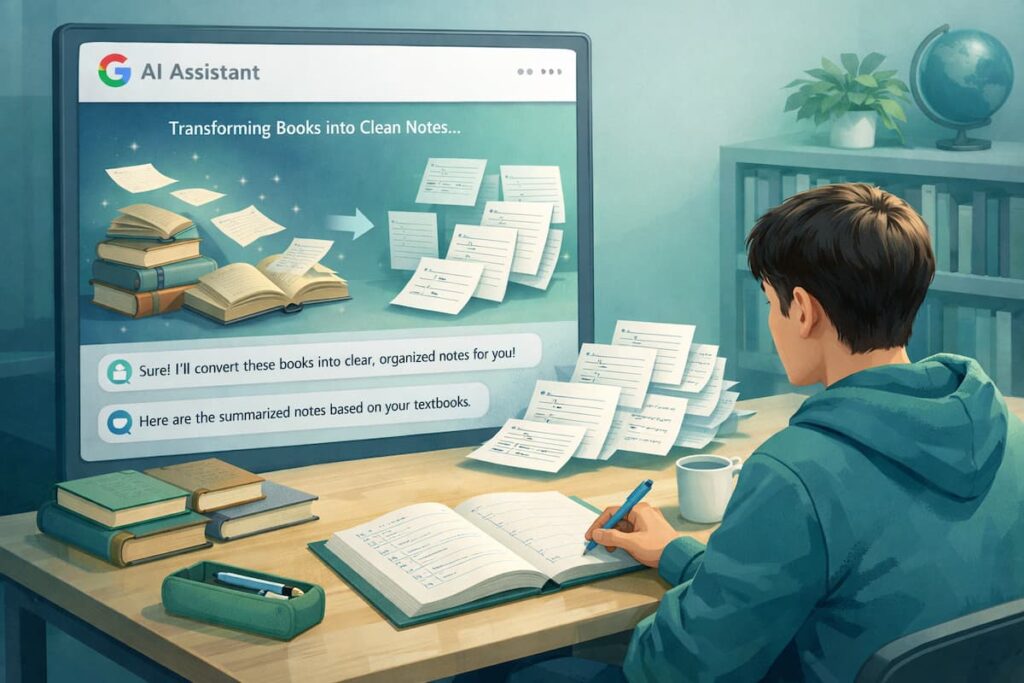
Google Gemini features for students are getting talked about more in 2026, but most students still use AI in the simplest way: “Explain this topic” or “Write me notes.” That’s okay, but it’s not the best use. In my opinion, the real advantage comes when you use Gemini like a study system—something that helps you see information, organize it, test it, and revise it at the right time.
I’m writing this in a very visual, easy-to-understand style because that’s what students actually need. When you’re tired, stressed, or short on time, long paragraphs feel heavy. So I’ll keep things clean: short sections, clear examples, and bullet points you can copy and use.
In this guide, I’ll share Google Gemini features for students that many people don’t use—features and workflows that can save real hours during exams. I’ll also include my honest opinion, ratings, and FAQs. ✅
I used to study by rereading notes. I used to forget after two days. I used to blame my memory.
Then I started using AI to make learning active.
After that, revision became faster and less stressful.
What Makes Gemini Useful for Students (My Simple View) 🤖📚
Before the “hidden” tips, here’s how I see it:
Google Gemini features for students are strongest when you use Gemini for:
- organizing information (notes, outlines, tables)
- understanding concepts (simple explanations + examples)
- learning faster (quizzes, flashcards, revision plans)
- working smarter (summaries, checklists, drafts)
If you only ask one question and stop, you’re leaving value on the table.
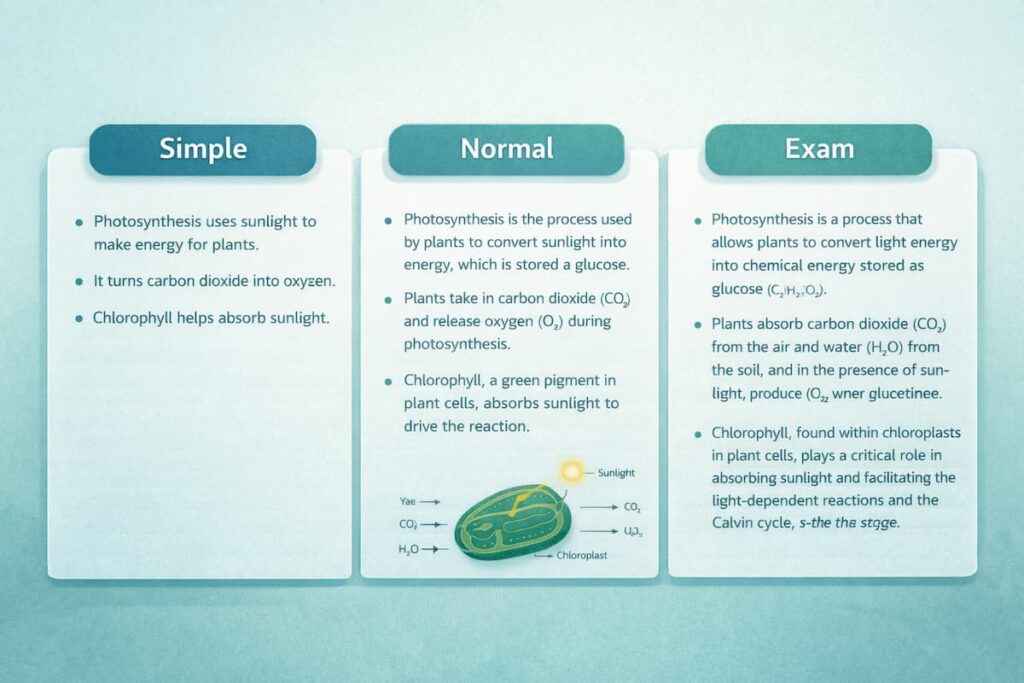
Feature 1: “Explain It 3 Ways” (Simple → Medium → Exam Mode) 🧠
This is one of the most underrated Google Gemini features for students because it matches how real learning works.
Use it when: you don’t understand a concept.
Prompt to use:
- “Explain photosynthesis in 3 versions:
- super simple (10 lines)
- normal (with 2 examples)
- exam answer (structured, points).”
Why it helps:
- simple version builds confidence
- medium version builds understanding
- exam version builds scoring points
Feature 2: Turn Any Topic Into a “One-Page Study Sheet” 🧾✨
Many students create long notes and never revise them properly.
Google Gemini features for students become powerful when you ask for one-page notes.
Prompt to use:
- “Make a one-page study sheet for (topic).
Use headings, bullet points, key terms, 2 examples, and common mistakes.”
What you get:
- fast revision material
- cleaner memory
- less panic before exams
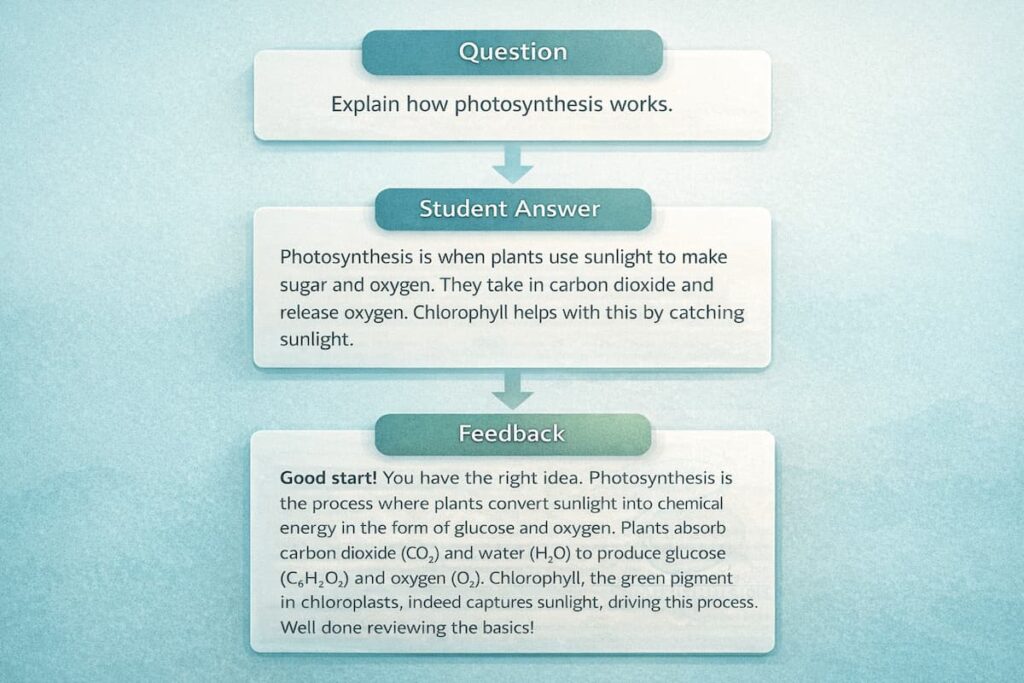
Feature 3: “Quiz Me Like a Teacher” Mode 🧑🏫✅
This is one of the best Google Gemini features for students for exam preparation.
Prompt to use:
- “Quiz me with 10 questions.
Ask one by one. Wait for my answer.
Then mark it and explain my mistake in simple words.”
Why it works:
- turns passive learning into active recall
- shows weak areas instantly
- feels like a tutor, not a search engine
Feature 4: Flashcards From Your Notes (Fast Revision) 🃏
If you want memory and speed, flashcards are gold.
Prompt to use:
- “Turn these notes into 25 flashcards.
Front = question. Back = short answer.
Keep answers under 12 words.”
Bonus prompt:
- “Now group flashcards into easy, medium, hard.”
This is a very practical way Google Gemini features for students saves time.
Feature 5: “Mistake Tracker” (This One Changes Everything) ❌➡️✅
In my opinion, the fastest learners do one thing well: they study their mistakes.
Prompt to use:
- “Here are my wrong answers.
Make a mistake tracker table with:
Mistake type, why it happened, correct method, how to avoid it.”
Why this is a hidden win:
- you stop repeating the same errors
- your score improves without extra study time
Feature 6: Convert Chapters Into Timelines and Flowcharts 🏛️🔬
This is huge for visual learners.
Google Gemini features for students include the ability to create content in clear structures like:
- timelines (history)
- process flows (science)
- cause → effect maps (social studies)
- step-by-step algorithms (CS)
Prompt examples:
- “Make a timeline of World War 1 with 10 key events + one-line significance.”
- “Create a flowchart-style explanation of digestion in humans.”
Even if you don’t draw a real flowchart, the “flow” format makes it easier to remember.
Feature 7: “Exam Answer Templates” (Write Faster, Score Better) 📝
Students often lose marks because answers are messy.
Prompt to use:
- “Give me an exam answer template for (subject).
Include structure for: definition, explanation, example, conclusion.”
Then ask:
- “Now answer this question using the template.”
This is one of those Google Gemini features for students that feels small, but it improves marks fast.
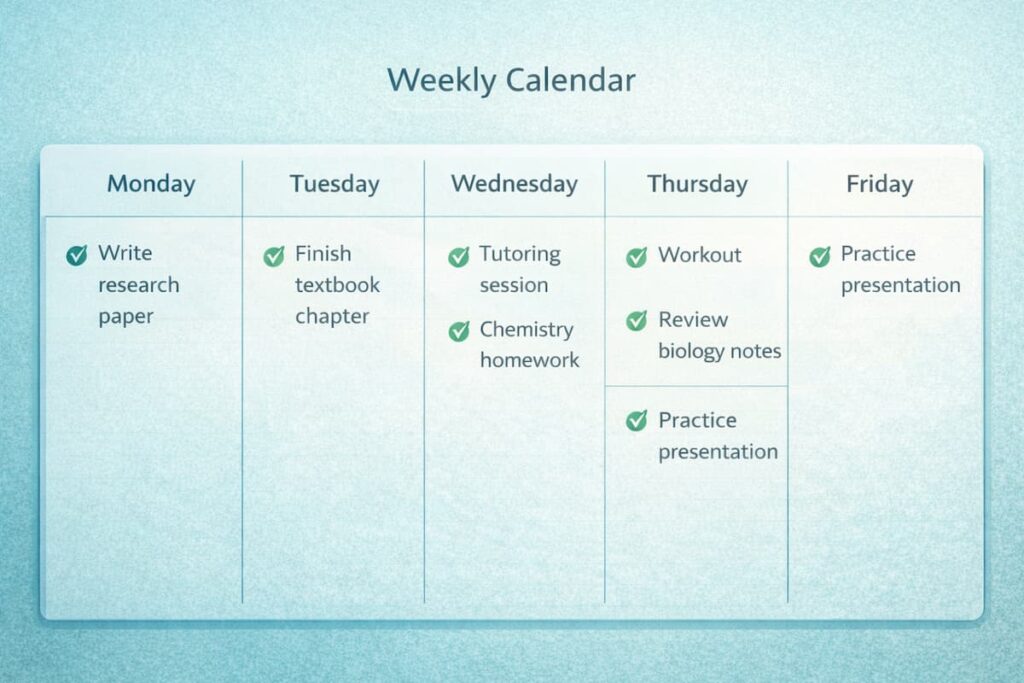
Feature 8: Study Plan Generator That Doesn’t Feel Stressful 📅✅
Most study plans are unrealistic. They look good but fail in real life.
Prompt to use:
- “Make a 14-day exam plan.
I can study 60 minutes/day.
Add revision days. Add a buffer day.
Keep it stress-free.”
Why it helps:
- it matches your real time
- it includes revision automatically
- it reduces last-minute panic
Feature 9: “Explain My Notes Back to Me” (Check Understanding) 🔁
This is a smart trick.
You paste your own notes and ask:
- “Explain my notes back to me in simple words.
Then ask me 5 questions to test if I understood.”
This is Google Gemini features for students used correctly: it checks learning, not just writing.
Feature 10: “Compare Two Topics” Tables (Instant Clarity) ⚖️
This is perfect when two ideas feel similar.
Prompt to use:
- “Compare mitosis vs meiosis in a table: purpose, steps, outcome, exam keywords, common confusion.”
Tables are visual. Tables are fast. Tables are exam-friendly.
Feature 11: “Turn a Lesson Into a Mini Story” (Memory Hack) 📖
For history and theory subjects, stories stick more than lists.
Prompt to use:
- “Explain this topic as a short story with simple language, then summarize the key facts.”
This keeps learning light and memorable.
Feature 12: “Study Like a YouTuber” Script Mode 🎥
If you can explain something, you truly know it.
Prompt to use:
- “Write a 60-second teaching script on (topic) for a student audience.
Keep it simple and clear. Add 3 key points.”
Then read it aloud. That improves recall quickly.
Quick Visual Summary: Google Gemini Features for Students ✅
Here’s a simple cheat sheet you can screenshot:
- 📄 One-page study sheet
- 🧑🏫 Teacher-style quizzes
- 🃏 Flashcards from notes
- ❌ Mistake tracker table
- 🧾 Timelines + process flows
- 📝 Exam templates
- 📅 Stress-free revision plan
- ⚖️ Comparison tables
- 📖 Story explanations
- 🎥 Teaching scripts
That’s the core of Google Gemini features for students in 2026, in practical form.
Subject-Wise: How I Use Gemini (Simple Guide) 🎓
Math ➗
- “Show steps + 5 similar practice questions.”
- “Explain the fastest method and common mistakes.”
Science 🔬
- “Process flow + 3 examples + 10 MCQs.”
- “Explain why wrong options are wrong.”
English / Writing ✍️
- “Rewrite in simple academic tone.”
- “Give me connectors and improve clarity.”
History 🏛️
- “Timeline + causes/effects + 10 short-answer questions.”
- “Create flashcards for key dates and terms.”
Computer Science 💻
- “Explain concept + mini project + debugging checklist.”
- “Make interview-style questions.”
This is the easiest way to apply Google Gemini features for students without confusion.
Comparison Table: Gemini vs “Typical Student AI Use” 📊
| What students do | Typical result | Better Gemini workflow | Result |
|---|---|---|---|
| “Explain this topic” | forget later | Explain 3 ways + quiz | remember longer |
| long notes | heavy revision | one-page study sheet | faster revision |
| read and hope | weak recall | flashcards + active recall | better memory |
| ignore mistakes | repeat errors | mistake tracker | higher score |
| study plan too big | burnout | stress-free plan | consistent progress |
My Opinion: Is Gemini Worth It for Students in 2026? 🗣️
My honest opinion: yes, Google Gemini features for students can be worth it—if you use it like a system.
If you only use AI to generate notes, you’ll feel productive but your memory won’t improve much. But if you use Gemini for:
- quizzes
- flashcards
- mistake tracking
- revision planning
…you’ll learn faster without studying more hours.
So, I don’t see Gemini as a replacement for studying. I see it as a tool that removes wasted time and makes studying more active.
Ratings (Fair, Student-Focused) ⭐
These ratings are based on how helpful the workflows are for students. Out of 10.
- Note-making & structure: 8.9/10
- Explaining concepts simply: 8.7/10
- Exam prep (quizzes + revision plans): 8.8/10
- Visual learning formats (tables, flows): 8.6/10
- Risk of lazy use (if you copy): 6.5/10
- Overall student value (smart use): 8.7/10
Not perfect, but very useful when used correctly.
FAQ: Google Gemini Features for Students ❓
1) What are the best Google Gemini features for students in 2026?
The most useful ones are: one-page study sheets, teacher-style quizzes, flashcards, mistake tracking, comparison tables, and stress-free revision plans.
2) Can Gemini help with exams without studying more?
Yes, because it helps you use active recall, spaced revision, and mistake correction. That improves learning efficiency without adding more time.
3) How do I stop using AI in a lazy way?
Always test yourself. Use quizzes and flashcards. Also keep a mistake list. If you only read AI answers, you’ll forget quickly.
4) Which subjects benefit most from Gemini?
In my experience, theory-heavy subjects like history, biology, and social studies benefit a lot due to summaries and structure. Math benefits when you use step-by-step practice and error correction.
5) Can Gemini replace teachers or textbooks?
No. It can explain and organize learning, but textbooks and teachers are still important for correct content and exam standards. Use Gemini as support, not the only source.
6) What’s the best daily routine with Gemini?
A simple routine:
- 10 min: explain + examples
- 30 min: quiz/practice
- 20 min: review mistakes + one-page notes
This routine fits most students and improves results.